
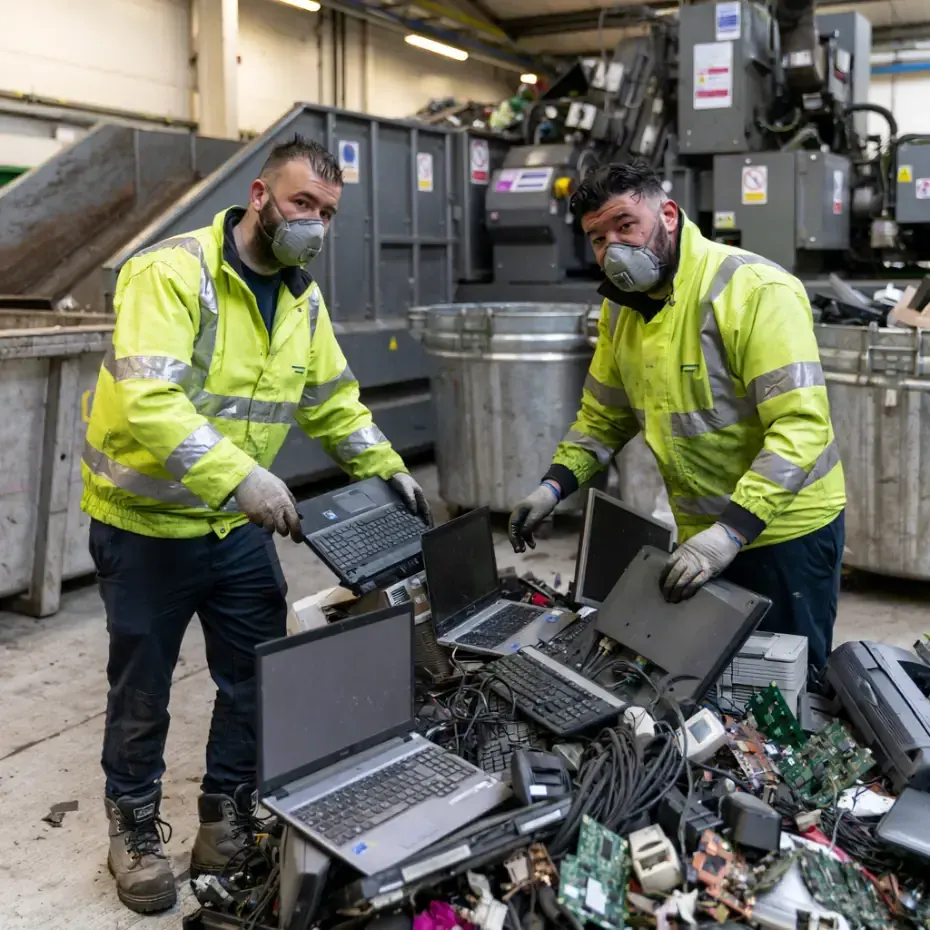
Start with the data, not the laptop
Deleting a file does not remove it. It marks the space as reusable, and the data sits there until something writes over it. Recovery software that anyone can download will pull back photographs, documents, saved passwords and browser sessions from a drive that looks empty.
A factory reset is better than nothing and worse than most people assume. On a modern laptop with an encrypted drive, a reset that discards the encryption key is genuinely effective. On an older machine with an unencrypted hard disk, a reset can leave the underlying data entirely recoverable.
So the order matters: deal with the data while the laptop is still in your hands, not after you have handed it to somebody.
- A factory reset is not a secure wipe
- Deleted files are recoverable until overwritten
- Removing the drive is the surest method
- Encrypted drives are far safer to dispose of
- Physical destruction is final
- Get a certificate if it is business data
Four ways to deal with the data, worst to best
Factory reset alone. Fine for a modern encrypted laptop you are giving to a family member. Not sufficient for an older machine, and not sufficient for anything with business or financial data on it.
A full secure wipe. Software that overwrites every sector rather than just the index. Slower — hours, not minutes — but it leaves a working machine that can be reused, which is the greenest outcome.
Remove the drive. Take the drive out and keep it. The laptop goes for recycling, the data stays in your drawer. This is the option most people overlook and it is the simplest one that actually works. A single screwdriver, usually.
Physical destruction. The drive is shredded or crushed. Final, verifiable, and the only option that produces a certificate. For business data, this is normally what a policy requires — see confidential waste and IT disposal.
One laptop, or a room full of them?
We collect IT anywhere in Scotland, destroy the drives and issue a certificate. Photo quote in minutes.
Why it cannot go in the bin
A laptop is WEEE — waste electrical and electronic equipment. Anything with a plug or a battery is, and none of it belongs in a household bin anywhere in the UK.
Two reasons. The first is that laptops contain recoverable material: gold and copper in the board, aluminium in the case, rare earths in the magnets. Burying that is waste in the literal sense. The second is the battery. Lithium-ion cells crushed in a bin lorry are a genuine fire risk, and refuse vehicle fires caused by discarded batteries are a real and growing problem for councils.
That is not a technicality about a laptop. A vape, a toothbrush, a set of wireless earbuds and a child's light-up toy are all the same problem in a smaller case. Our WEEE disposal page covers the whole category.
Where it can actually go
Household waste recycling centres. Every Scottish council takes WEEE at its recycling centres, free, for residents. In Glasgow that is Dawsholm, Polmadie and Shieldhall — Easter Queenslie is closed for redevelopment. Check the van rules before you go if you are taking more than a boxful; they differ by site and are covered in can you take a van to a Scottish recycling centre.
Manufacturer and retailer take-back. Under WEEE regulations, retailers selling electrical goods must provide a take-back route. Most large manufacturers run their own free postal or drop-off schemes, and several will pay for a machine with any resale value left in it.
Reuse charities and community projects. A laptop from the last five or six years is often perfectly usable, and there are projects across Scotland refurbishing them for people who cannot afford one. Wipe it properly first, and be honest about the condition.
Licensed collection. If you have several machines, a business clear-out, or you simply want it gone with a record of where it went, we collect and document it.
If it is a work laptop
The bar is different. Business data brings obligations under UK GDPR, and 'we took it to the tip' is not a defensible position if a drive resurfaces.
What a business needs is a documented chain: the asset recorded, the drive destroyed, and a certificate of destruction issued against it. That certificate is the evidence, and it is what an auditor or a regulator will ask to see.
We handle that through confidential waste and IT disposal, with the hardware recycled under WEEE afterwards. For a full office move or closure, it usually forms part of an office clearance.
The battery, specifically
If the battery is swollen — the case bulging, the trackpad lifting, the laptop rocking on a flat surface — stop. A swollen lithium cell is damaged and unstable, and it should not be posted, packed tightly, or left charging.
Keep it somewhere cool and away from anything flammable, do not puncture it, and take it to a recycling centre and tell staff on arrival, or tell us when you book so the crew handles it separately.
It is not a common problem, but it is the one thing on this page that is genuinely dangerous rather than merely illegal.
The short version
Deal with the data first: remove the drive, or run a proper secure wipe. Then take it to a recycling centre, a take-back scheme or a reuse project. Never put it in a bin.
If it is business data, or there is more than one machine, get it collected by someone licensed who will give you a certificate. We cover the whole of Scotland and issue a duty-of-care transfer note on every collection under SEPA registration WCR/R/3002381.
